If you want your restoration Google Ads landing pages to convert more calls, you need to make the offer obvious the moment someone lands. You match the ad promise, show local proof, and place the call button above the fold so users don’t have to hunt for it. The pages that win usually track every lead, but the real lift often comes from small changes you can measure next…
Key Takeaways
- Match the ad’s promise, service, and location exactly in the headline to reduce bounce and build trust.
- Put a bold, contrasting “Call Now” button above the fold and near the headline for immediate action.
- Keep forms short and remove competing links so visitors can focus on one clear conversion path.
- Use local project photos, license badges, and sharp captions to reinforce credibility and relevance.
- Track calls, button taps, and form starts, then A/B test one change at a time to improve results.
What Makes Restoration Landing Pages Convert?
Restoration landing pages convert when they make it immediately clear what service you offer, who you help, and what the next step is, because visitors need fast answers before they click away.
In restoration Google Ads landing pages, you win when you reduce friction and push one primary action.
Put your call button above the fold, repeat it after proof points, and keep every section tied to conversion.
You should show credibility fast with licenses, reviews, response time, and service area coverage.
Use tight copy, strong visual hierarchy, and forms that ask only for essentials.
Track calls, form starts, and button taps so you can improve what matters.
If you want more qualified leads, remove distractions and make the decision easy.
Match the Ad Promise on the Page
You need to mirror the ad’s exact promise on the page so visitors instantly know they’re in the right place.
When your headline and key offer reinforce the same restoration service, you reduce friction and improve conversion rates.
Keep the message tight, specific, and aligned with the click that brought them there.
Mirror Ad Messaging
When your landing page mirrors the exact promise of the ad, visitors immediately know they’re in the right place, which reduces bounce risk and improves conversion intent. You should echo the headline, offer, and urgency from the ad in the first screen.
Alignment cuts friction because users don’t re-evaluate relevance; they act faster. Keep every element consistent:
- Use the same primary service term.
- Repeat the core benefit in plain language.
- Match the location, if the ad includes one.
- Keep the CTA wording aligned with the ad’s action.
This consistency helps you lift click-to-call rates and lower wasted spend. If the ad says “24/7 water damage help,” your page must say it too.
Precision builds trust, and trust drives calls.
Reinforce Service Promise
A strong ad match gets the click; a clear service promise gets the call. You need to restate the exact service outcome in your headline, subhead, and CTA so visitors know they’re in the right place.
If your ad promises 24/7 water damage response, the page should repeat that promise immediately and support it with evidence: response times, service areas, certifications, and call volume data.
Don’t make users infer your offer. Make the path explicit, from problem to solution to phone number. When the promise stays consistent, you reduce uncertainty, increase trust, and lift call intent.
Every section should answer one question: “Can you solve my problem now?” If the answer is yes, your page should say it clearly, fast, and without distraction.
Build Trust Fast With Local Proof
You can build trust fast by showing local project photos that prove you’ve handled jobs like theirs nearby.
Add service area names and nearby license badges so visitors instantly see you’re relevant, licensed, and close enough to respond quickly.
This local proof lowers friction and can lift conversion rates by making your offer feel immediate and credible.
Local Project Photos
Local project photos give your restoration landing page instant credibility because they show real work, in real homes, for real customers in your service area. You reduce doubt fast when visitors see proof, not promises.
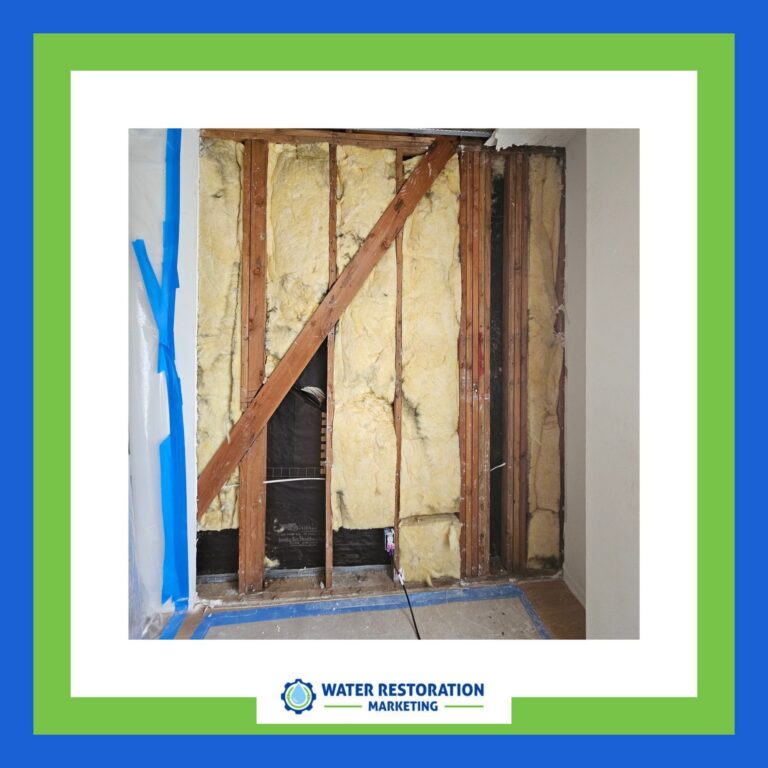
Keep each image sharp, recent, and tied to a specific job type. Show the problem, your response, and the finished result so the page tells a complete conversion story.
- Before-and-after comparisons
- Crews in action
- Clean, finished interiors
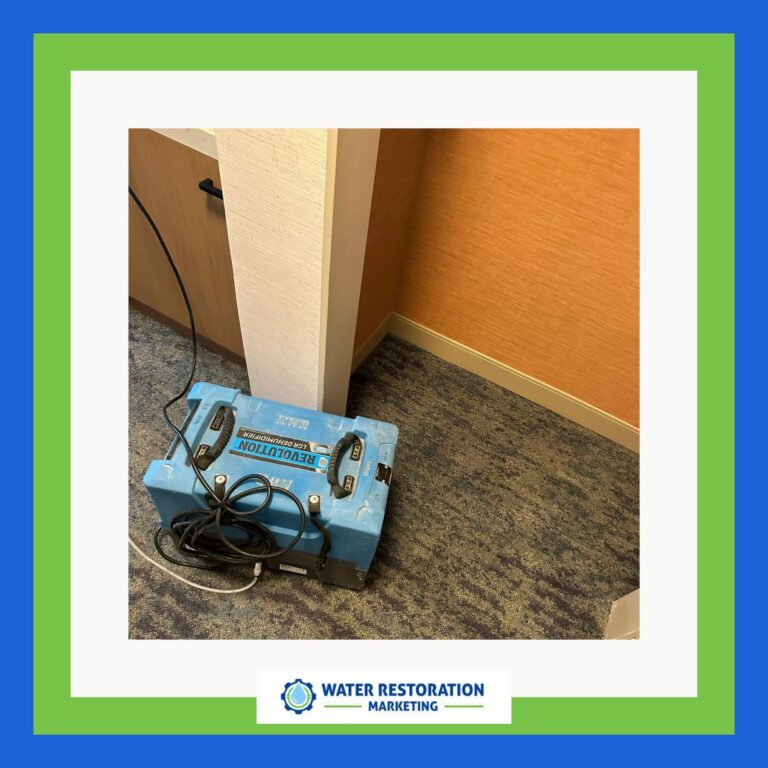
- Equipment and drying setups
Use captions that explain what changed and why it matters. This helps you signal competence, speed, and professionalism in seconds.
When prospects can verify your results visually, they’re more likely to call. Strong local photo proof doesn’t just decorate the page; it improves trust, engagement, and lead quality.
Service Area Names
Service-area names add instant credibility because they show visitors you actually serve their neighborhood, city, or county.
You lower friction when you list specific places near the hero section, call button, and form. That local proof helps prospects self-qualify fast, which improves click-to-call intent and reduces wasted leads.
Use the same names your ads target, and keep the wording precise: city, district, suburb, or county. If you cover multiple areas, group them cleanly so scanning takes seconds, not minutes.
You also signal relevance to searchers who want immediate help, and that can raise conversion rates. Pair those names with a direct CTA, and you’ll turn location confidence into faster calls and stronger lead quality.
Nearby License Badges
When nearby license badges appear beside your headline or call button, they quickly reassure visitors that your restoration company is certified to work in their area.
You reduce friction and lift call intent by proving local compliance before prospects scroll. Place badges where eyes land first, and pair them with your phone number, not in a footer.
- Show state and city license seals.
- Link badges to verification pages.
- Match badges to each service area.
- Update expired credentials immediately.
This local proof works because buyers scan for risk signals in seconds. If they can verify you fast, they’ll call faster.
Track badge clicks, call rate, and form completions to confirm impact. Strong placement, real credentials, and tight messaging turn trust into conversions.
Put the CTA Above the Fold
Put your CTA above the fold so visitors can act before they scroll. In restoration Google Ads landing pages, you need immediate action because intent is high and patience is low.
Place one primary call button near your headline, repeat it after key proof points, and keep the wording direct: Call Now, Get Help Fast, or Request Inspection.
Make the button contrast with the page, stay visible on mobile, and remove competing links that dilute focus. You’re not asking for exploration; you’re capturing urgent demand.
When the CTA appears instantly, you reduce friction, shorten decision time, and improve call volume.
Master this placement, and you turn paid clicks into conversations faster, with less waste and stronger conversion efficiency.
Track Every Call and Lead
Track every call and lead so you know which clicks actually generate revenue. When you measure every conversion, you stop guessing and start optimizing for profit. Connect call tracking, form tracking, and source attribution so you can see which campaigns, keywords, and pages drive qualified restoration inquiries.
Use the data to cut wasted spend and scale what closes.
- Log call duration and missed calls.
- Tag leads by service, location, and urgency.
- Match conversions to ad groups and keywords.
- Review reporting daily, not monthly.
With clean tracking, you can judge landing page performance by revenue, not vanity metrics. That gives you the control you need to improve ROI and dominate high-intent searches.
Test Page Elements to Lift Call Rates
To lift call rates on restoration landing pages, test one element at a time so you can see what actually drives more calls.
Start with headline clarity, then compare offer wording, button color, button copy, and form length.
Measure call clicks, qualified calls, and conversion rate, not vanity traffic. If one version wins by even a small margin, keep it and test the next variable.
You should also test trust signals like reviews, licenses, and response-time claims, because they reduce hesitation fast.
Try different phone placements above the fold and in sticky headers.
Use heatmaps and A/B tests to confirm behavior, then scale the best-performing layout.
Mastery comes from disciplined iteration, not guesswork, so let data decide every change.
Frequently Asked Questions
How Many Landing Pages Should I Create for Different Restoration Services?
Create one landing page per core service, then split by high-intent subservice or location when volume justifies it. You’ll usually start with 3–8 pages, test calls, and expand only where conversion data proves demand.
Should I Use Separate Pages for Water, Fire, and Mold Restoration?
Yes—you should use separate pages for water, fire, and mold restoration. You’ll boost relevance, improve Quality Score, and increase calls because each page can match search intent, proof, urgency, and conversion tracking precisely.
What Page Speed Is Best for Google Ads Landing Pages?
You’d think speed’s optional, but it isn’t: aim for under 2 seconds, ideally near 1.5. Faster pages lower bounce, boost Quality Score, and lift calls. Test mobile first, then optimize relentlessly.
How Do I Qualify Calls Before They Reach My Team?
You can qualify calls by adding a short intake form, dynamic call routing, and a recorded pre-screen. Ask damage type, location, urgency, and insurance status, then route only high-intent callers to your team.
What Form Fields Reduce Spam Without Hurting Conversions?
You’ll reduce spam with name, phone, email, ZIP, and a service dropdown; many users abandon forms with too many fields. Keep it tight, add validation, and you’ll boost qualified calls without hurting conversions.
Conclusion
When your restoration Google Ads landing pages mirror the ad promise, show local proof, and put the call button above the fold, you make it easy for people to act. You’ll see more calls because the message feels familiar, the trust signals feel real, and the path is simple. Track every lead, test each change, and keep improving. In restoration, timing matters—and when urgency meets clarity, conversion rates usually rise fast.